 97c7c999b1
* feat(evals): SWE-bench Docker scaffolding for claude-mem resolve-rate measurement

Adds evals/swebench/ scaffolding per .claude/plans/swebench-claude-mem-docker.md.
Agent image builds Claude Code 2.1.114 + locally-built claude-mem plugin;
run-instance.sh executes the two-turn ingest/fix protocol per instance;
run-batch.py orchestrates parallel Docker runs with per-instance isolation;
eval.sh wraps the upstream SWE-bench harness; summarize.py aggregates reports.

Orchestrator owns JSONL writes under a lock to avoid racy concurrent appends;
agent writes its authoritative diff to CLAUDE_MEM_OUTPUT_DIR (/scratch in
container mode) and the orchestrator reads it back. Scaffolding only — no
Docker build or smoke test run yet.

Co-Authored-By: Claude Opus 4.7 (1M context) <noreply@anthropic.com>

* feat(evals): OAuth credential mounting for Claude Max/Pro subscriptions

Skips per-call API billing by extracting OAuth creds from host Keychain
(macOS) or ~/.claude/.credentials.json (Linux) and bind-mounting them
read-only into each agent container. Creds are copied into HOME=$SCRATCH/.claude
at container start so the per-instance isolation model still holds.

Adds run-batch.py --auth {oauth,api-key,auto} (auto prefers OAuth, falls
back to API key). run-instance.sh accepts either ANTHROPIC_API_KEY or
CLAUDE_MEM_CREDENTIALS_FILE. smoke-test.sh runs one instance end-to-end
using OAuth for quick verification before batch runs.

Caveat surfaced in docstrings: Max/Pro has per-window usage limits and is
framed for individual developer use — batch evaluation may exhaust the
quota or raise compliance questions.

Co-Authored-By: Claude Opus 4.7 (1M context) <noreply@anthropic.com>

* feat(docker): basic claude-mem container for ad-hoc testing

Adds docker/claude-mem/ with a fresh spin-up image:
- Dockerfile: FROM node:20 (reproduces anthropics/claude-code .devcontainer
  pattern — Anthropic ships the Dockerfile, not a pullable image); layers
  Bun + uv + locally-built plugin/; runs as non-root node user
- entrypoint.sh: seeds OAuth creds from CLAUDE_MEM_CREDENTIALS_FILE into
  $HOME/.claude/.credentials.json, then exec's the command (default: bash)
- build.sh: npm run build + docker build
- run.sh: interactive launcher; auto-extracts OAuth from macOS Keychain
  (security find-generic-password) or ~/.claude/.credentials.json on Linux,
  mounts host .docker-claude-mem-data/ at /home/node/.claude-mem so the
  observations DB survives container exit

Validated end-to-end: PostToolUse hook fires, queue enqueues, worker's SDK
compression runs under subscription OAuth, observations row lands with
populated facts/concepts/files_read, Chroma sync triggers.

Also updates .gitignore/.dockerignore for the new runtime-output paths.
Built plugin artifacts refreshed by the build step.

Co-Authored-By: Claude Opus 4.7 (1M context) <noreply@anthropic.com>

* fix(evals/swebench): non-root user, OAuth mount, Lite dataset default

- Dockerfile.agent: switch to non-root \`node\` user (uid 1000); Claude Code
  refuses --permission-mode bypassPermissions when euid==0, which made every
  agent run exit 1 before producing a diff. Also move Bun + uv installs to
  system paths so the non-root user can exec them.
- run-batch.py: add extract_oauth_credentials() that pulls from macOS
  Keychain / Linux ~/.claude/.credentials.json into a temp file and bind-
  mounts it at /auth/.credentials.json:ro with CLAUDE_MEM_CREDENTIALS_FILE.
  New --auth {oauth,api-key,auto} flag. New --dataset flag so the batch can
  target SWE-bench_Lite without editing the script.
- smoke-test.sh: default DATASET to princeton-nlp/SWE-bench_Lite (Lite
  contains sympy__sympy-24152, Verified does not); accept DATASET env
  override.

Caveat surfaced during testing: Max/Pro subscriptions have per-window usage
limits; running 5 instances in parallel with the "read every source file"
ingest prompt exhausted the 5h window within ~25 minutes (3/5 hit HTTP 429).

Co-Authored-By: Claude Opus 4.7 (1M context) <noreply@anthropic.com>

* fix: address PR #2076 review comments

- docker/claude-mem/run.sh: chmod 600 (not 644) on extracted OAuth creds
  to match what `claude login` writes; avoids exposing tokens to other
  host users. Verified readable inside the container under Docker
  Desktop's UID translation.
- docker/claude-mem/Dockerfile: pin Bun + uv via --build-arg BUN_VERSION
  / UV_VERSION (defaults: 1.3.12, 0.11.7). Bun via `bash -s "bun-v<V>"`;
  uv via versioned installer URL `https://astral.sh/uv/<V>/install.sh`.
- evals/swebench/smoke-test.sh: pipe JSON through stdin to `python3 -c`
  so paths with spaces/special chars can't break shell interpolation.
- evals/swebench/run-batch.py: add --overwrite flag; abort by default
  when predictions.jsonl for the run-id already exists, preventing
  accidental silent discard of partial results.

Co-Authored-By: Claude Opus 4.7 (1M context) <noreply@anthropic.com>

* fix: address coderabbit review on PR #2076

Actionable (4):
- Dockerfile uv install: wrap `chmod ... || true` in braces so the trailing
  `|| true` no longer masks failures from `curl|sh` via bash operator
  precedence (&& binds tighter than ||). Applied to both docker/claude-mem/
  and evals/swebench/Dockerfile.agent. Added `set -eux` to the RUN lines.
- docker/claude-mem/Dockerfile: drop unused `sudo` apt package (~2 MB).
- run-batch.py: name each agent container (`swebench-agent-<id>-<pid>-<tid>`)
  and force-remove via `docker rm -f <name>` in the TimeoutExpired handler
  so timed-out runs don't leave orphan containers.

Nitpicks (2):
- smoke-test.sh: collapse 3 python3 invocations into 1 — parse the instance
  JSON once, print `repo base_commit`, and write problem.txt in the same
  call.
- run-instance.sh: shallow clone via `--depth 1 --no-single-branch` +
  `fetch --depth 1 origin $BASE_COMMIT`. Falls back to a full clone if the
  server rejects the by-commit fetch.

Co-Authored-By: Claude Opus 4.7 (1M context) <noreply@anthropic.com>

* fix: address second coderabbit review on PR #2076

Actionable (3):
- docker/claude-mem/run.sh: on macOS, fall back to ~/.claude/.credentials.json
  when the Keychain lookup misses (some setups still have file-only creds).
  Unified into a single creds_obtained gate so the error surface lists both
  sources tried.
- docker/claude-mem/run.sh: drop `exec docker run` — `exec` replaces the shell
  so the EXIT trap (`rm -f "$CREDS_FILE"`) never fires and the extracted
  OAuth JSON leaks to disk until tmpfs cleanup. Run as a child instead so
  the trap runs on exit.
- evals/swebench/smoke-test.sh: actually enforce the TIMEOUT env var. Pick
  `timeout` or `gtimeout` (coreutils on macOS), fall back to uncapped with
  a warning. Name the container so exit-124 from timeout can `docker rm -f`
  it deterministically.

Nitpick from the same review (consolidated python3 calls in smoke-test.sh)
was already addressed in the prior commit ef621e00.

Co-Authored-By: Claude Opus 4.7 (1M context) <noreply@anthropic.com>

* fix: address third coderabbit review on PR #2076

Actionable (1):
- evals/swebench/smoke-test.sh: the consolidated python heredoc had competing
  stdin redirections — `<<'PY'` (script body) AND `< "$INSTANCE_JSON"` (data).
  The heredoc won, so `json.load(sys.stdin)` saw an empty stream and the parse
  would have failed at runtime. Pass INSTANCE_JSON as argv[2] and `open()` it
  inside the script instead; the heredoc is now only the script body, which
  is what `python3 -` needs.

Nitpicks (2):
- evals/swebench/smoke-test.sh: macOS Keychain lookup now falls through to
  ~/.claude/.credentials.json on miss (matches docker/claude-mem/run.sh).
- evals/swebench/run-batch.py: extract_oauth_credentials() no longer
  early-returns on Darwin keychain miss; falls through to the on-disk creds
  file so macOS setups with file-only credentials work in batch mode too.

Functional spot-check of the parse fix confirmed: REPO/BASE_COMMIT populated
and problem.txt written from a synthetic INSTANCE_JSON.

Co-Authored-By: Claude Opus 4.7 (1M context) <noreply@anthropic.com>

---------

Co-authored-by: Claude Opus 4.7 (1M context) <noreply@anthropic.com>

🇨🇳 中文 • 🇹🇼 繁體中文 • 🇯🇵 日本語 • 🇵🇹 Português • 🇧🇷 Português • 🇰🇷 한국어 • 🇪🇸 Español • 🇩🇪 Deutsch • 🇫🇷 Français • 🇮🇱 עברית • 🇸🇦 العربية • 🇷🇺 Русский • 🇵🇱 Polski • 🇨🇿 Čeština • 🇳🇱 Nederlands • 🇹🇷 Türkçe • 🇺🇦 Українська • 🇻🇳 Tiếng Việt • 🇵🇭 Tagalog • 🇮🇩 Indonesia • 🇹🇭 ไทย • 🇮🇳 हिन्दी • 🇧🇩 বাংলা • 🇵🇰 اردو • 🇷🇴 Română • 🇸🇪 Svenska • 🇮🇹 Italiano • 🇬🇷 Ελληνικά • 🇭🇺 Magyar • 🇫🇮 Suomi • 🇩🇰 Dansk • 🇳🇴 Norsk
Persistent memory compression system built for Claude Code.





|
|
Quick Start • How It Works • Search Tools • Documentation • Configuration • Troubleshooting • License
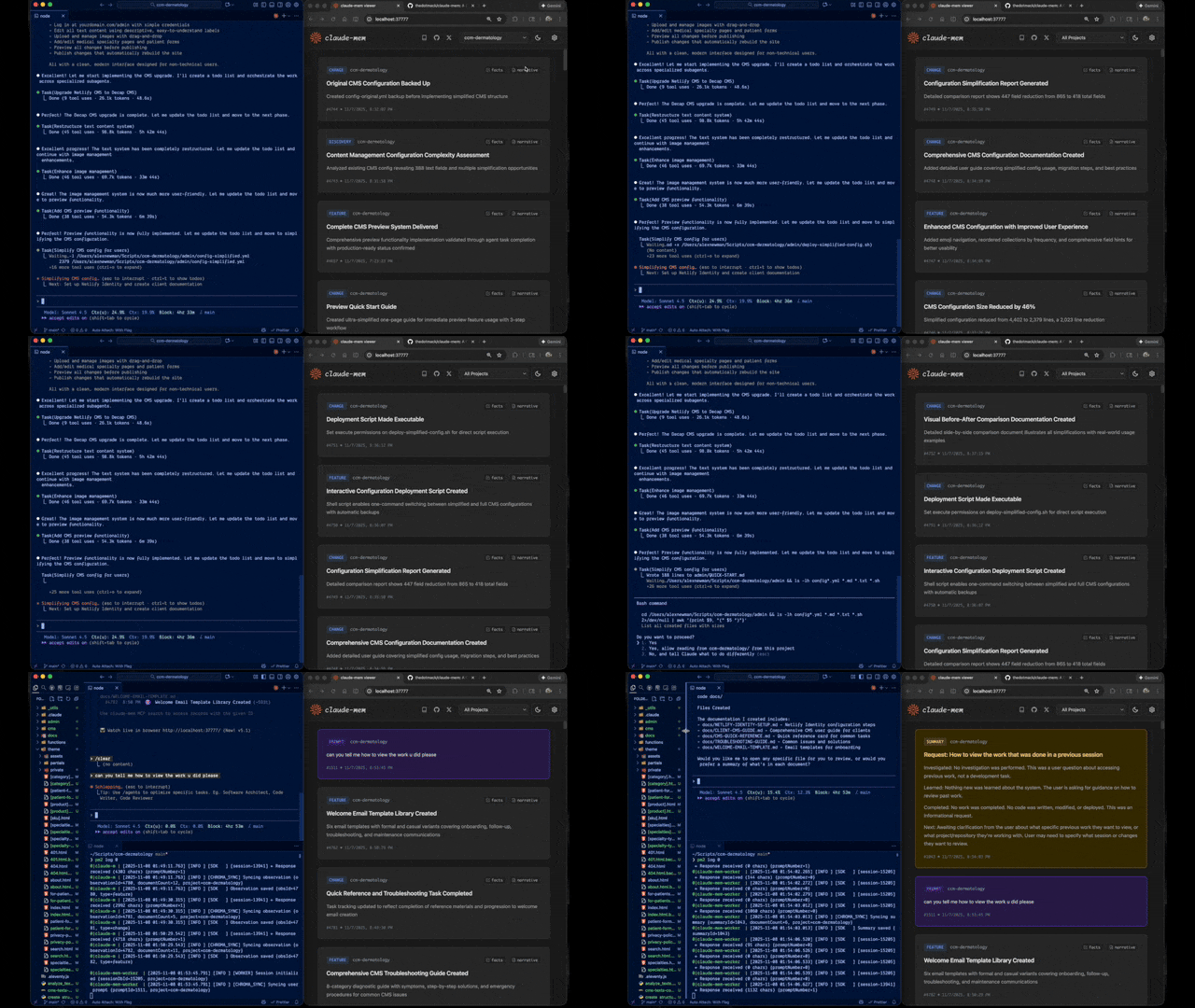
Claude-Mem seamlessly preserves context across sessions by automatically capturing tool usage observations, generating semantic summaries, and making them available to future sessions. This enables Claude to maintain continuity of knowledge about projects even after sessions end or reconnect.
Quick Start
Install with a single command:
npx claude-mem install
Or install for Gemini CLI (auto-detects ~/.gemini):
npx claude-mem install --ide gemini-cli
Or install for OpenCode:
npx claude-mem install --ide opencode
Or install from the plugin marketplace inside Claude Code:
/plugin marketplace add thedotmack/claude-mem

/plugin install claude-mem
Restart Claude Code or Gemini CLI. Context from previous sessions will automatically appear in new sessions.
Note: Claude-Mem is also published on npm, but
npm install -g claude-meminstalls the SDK/library only — it does not register the plugin hooks or set up the worker service. Always install vianpx claude-mem installor the/plugincommands above.
🦞 OpenClaw Gateway
Install claude-mem as a persistent memory plugin on OpenClaw gateways with a single command:
curl -fsSL https://install.cmem.ai/openclaw.sh | bash
The installer handles dependencies, plugin setup, AI provider configuration, worker startup, and optional real-time observation feeds to Telegram, Discord, Slack, and more. See the OpenClaw Integration Guide for details.
Key Features:
- 🧠 Persistent Memory - Context survives across sessions
- 📊 Progressive Disclosure - Layered memory retrieval with token cost visibility
- 🔍 Skill-Based Search - Query your project history with mem-search skill
- 🖥️ Web Viewer UI - Real-time memory stream at http://localhost:37777
- 💻 Claude Desktop Skill - Search memory from Claude Desktop conversations
- 🔒 Privacy Control - Use
<private>tags to exclude sensitive content from storage - ⚙️ Context Configuration - Fine-grained control over what context gets injected
- 🤖 Automatic Operation - No manual intervention required
- 🔗 Citations - Reference past observations with IDs (access via http://localhost:37777/api/observation/{id} or view all in the web viewer at http://localhost:37777)
- 🧪 Beta Channel - Try experimental features like Endless Mode via version switching
Documentation
📚 View Full Documentation - Browse on official website
Getting Started
- Installation Guide - Quick start & advanced installation
- Gemini CLI Setup - Dedicated guide for Google's Gemini CLI integration
- Usage Guide - How Claude-Mem works automatically
- Search Tools - Query your project history with natural language
- Beta Features - Try experimental features like Endless Mode
Best Practices
- Context Engineering - AI agent context optimization principles
- Progressive Disclosure - Philosophy behind Claude-Mem's context priming strategy
Architecture
- Overview - System components & data flow
- Architecture Evolution - The journey from v3 to v5
- Hooks Architecture - How Claude-Mem uses lifecycle hooks
- Hooks Reference - 7 hook scripts explained
- Worker Service - HTTP API & Bun management
- Database - SQLite schema & FTS5 search
- Search Architecture - Hybrid search with Chroma vector database
Configuration & Development
- Configuration - Environment variables & settings
- Development - Building, testing, contributing
- Troubleshooting - Common issues & solutions
How It Works
Core Components:
- 5 Lifecycle Hooks - SessionStart, UserPromptSubmit, PostToolUse, Stop, SessionEnd (6 hook scripts)
- Smart Install - Cached dependency checker (pre-hook script, not a lifecycle hook)
- Worker Service - HTTP API on port 37777 with web viewer UI and 10 search endpoints, managed by Bun
- SQLite Database - Stores sessions, observations, summaries
- mem-search Skill - Natural language queries with progressive disclosure
- Chroma Vector Database - Hybrid semantic + keyword search for intelligent context retrieval
See Architecture Overview for details.
MCP Search Tools
Claude-Mem provides intelligent memory search through 4 MCP tools following a token-efficient 3-layer workflow pattern:
The 3-Layer Workflow:
search- Get compact index with IDs (~50-100 tokens/result)timeline- Get chronological context around interesting resultsget_observations- Fetch full details ONLY for filtered IDs (~500-1,000 tokens/result)
How It Works:
- Claude uses MCP tools to search your memory
- Start with
searchto get an index of results - Use
timelineto see what was happening around specific observations - Use
get_observationsto fetch full details for relevant IDs - ~10x token savings by filtering before fetching details
Available MCP Tools:
search- Search memory index with full-text queries, filters by type/date/projecttimeline- Get chronological context around a specific observation or queryget_observations- Fetch full observation details by IDs (always batch multiple IDs)
Example Usage:
// Step 1: Search for index
search(query="authentication bug", type="bugfix", limit=10)

// Step 2: Review index, identify relevant IDs (e.g., #123, #456)

// Step 3: Fetch full details
get_observations(ids=[123, 456])
See Search Tools Guide for detailed examples.
Beta Features
Claude-Mem offers a beta channel with experimental features like Endless Mode (biomimetic memory architecture for extended sessions). Switch between stable and beta versions from the web viewer UI at http://localhost:37777 → Settings.
See Beta Features Documentation for details on Endless Mode and how to try it.
System Requirements
- Node.js: 18.0.0 or higher
- Claude Code: Latest version with plugin support
- Bun: JavaScript runtime and process manager (auto-installed if missing)
- uv: Python package manager for vector search (auto-installed if missing)
- SQLite 3: For persistent storage (bundled)
Windows Setup Notes
If you see an error like:
npm : The term 'npm' is not recognized as the name of a cmdlet
Make sure Node.js and npm are installed and added to your PATH. Download the latest Node.js installer from https://nodejs.org and restart your terminal after installation.
Configuration
Settings are managed in ~/.claude-mem/settings.json (auto-created with defaults on first run). Configure AI model, worker port, data directory, log level, and context injection settings.
See the Configuration Guide for all available settings and examples.
Mode & Language Configuration
Claude-Mem supports multiple workflow modes and languages via the CLAUDE_MEM_MODE setting.
This option controls both:
- The workflow behavior (e.g. code, chill, investigation)
- The language used in generated observations
How to Configure
Edit your settings file at ~/.claude-mem/settings.json:
{
  "CLAUDE_MEM_MODE": "code--zh"
}
Modes are defined in plugin/modes/. To see all available modes locally:
ls ~/.claude/plugins/marketplaces/thedotmack/plugin/modes/
Available Modes
| Mode | Description |
|---|---|
code |
Default English mode |
code--zh |
Simplified Chinese mode |
code--ja |
Japanese mode |
Language-specific modes follow the pattern code--[lang] where [lang] is the ISO 639-1 language code (e.g., zh for Chinese, ja for Japanese, es for Spanish).
Note:
code--zh(Simplified Chinese) is already built-in — no additional installation or plugin update is required.
After Changing Mode
Restart Claude Code to apply the new mode configuration.
Development
See the Development Guide for build instructions, testing, and contribution workflow.
Troubleshooting
If experiencing issues, describe the problem to Claude and the troubleshoot skill will automatically diagnose and provide fixes.
See the Troubleshooting Guide for common issues and solutions.
Bug Reports
Create comprehensive bug reports with the automated generator:
cd ~/.claude/plugins/marketplaces/thedotmack
npm run bug-report
Contributing
Contributions are welcome! Please:
- Fork the repository
- Create a feature branch
- Make your changes with tests
- Update documentation
- Submit a Pull Request
See Development Guide for contribution workflow.
License
This project is licensed under the GNU Affero General Public License v3.0 (AGPL-3.0).
Copyright (C) 2025 Alex Newman (@thedotmack). All rights reserved.
See the LICENSE file for full details.
What This Means:
- You can use, modify, and distribute this software freely
- If you modify and deploy on a network server, you must make your source code available
- Derivative works must also be licensed under AGPL-3.0
- There is NO WARRANTY for this software
Note on Ragtime: The ragtime/ directory is licensed separately under the PolyForm Noncommercial License 1.0.0. See ragtime/LICENSE for details.
Support
- Documentation: docs/
- Issues: GitHub Issues
- Repository: github.com/thedotmack/claude-mem
- Official X Account: @Claude_Memory
- Official Discord: Join Discord
- Author: Alex Newman (@thedotmack)
Built with Claude Agent SDK | Powered by Claude Code | Made with TypeScript
What About $CMEM?
$CMEM is a solana token created by a 3rd party without Claude-Mem's prior consent, but officially embraced by the creator of Claude-Mem (Alex Newman, @thedotmack). The token acts as a community catalyst for growth and a vehicle for bringing real-time agent data to the developers and knowledge workers that need it most. $CMEM: 2TsmuYUrsctE57VLckZBYEEzdokUF8j8e1GavekWBAGS